How to Bypass Google Play Protect
Google Play Protect is a built-in security feature of the Google Play Store.
Blocking Rules for APK Installation
A Play Protect warning pops up when installing an external APK due to Google’s mandatory rule: if an app is developed with an SDK API version that is two or more versions older than the Android API version of your device, the block prompt will be triggered. For example, a device running API 33 will alert you when installing apps built on API 30 or lower. You may refer to Google’s official Google Play Protect Developer Guide for full details.
If your Launch X431 diagnostic app is blocked with the message “Unsafe app blocked”, follow this temporary installation method: tap More Details, then select Install anyway.
Recommended Solution: Disable the protection feature before installing apps
Below is a step-by-step guide to turn off Play Protect scanning in the Play Store:
- Launch the Play Store app on your device
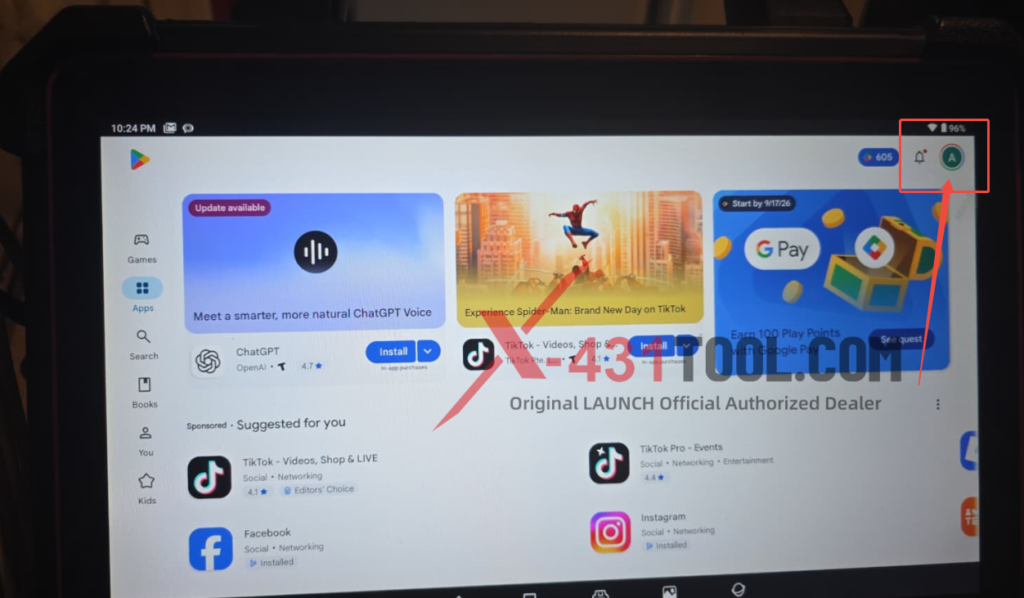
- Tap the Account icon in the top-right corner
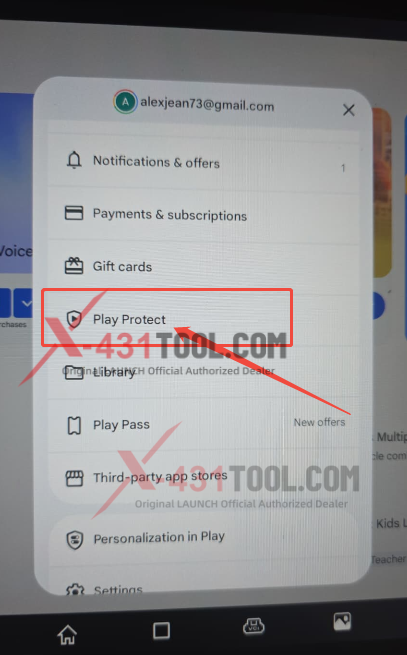
- Select Play Protect from the menu list
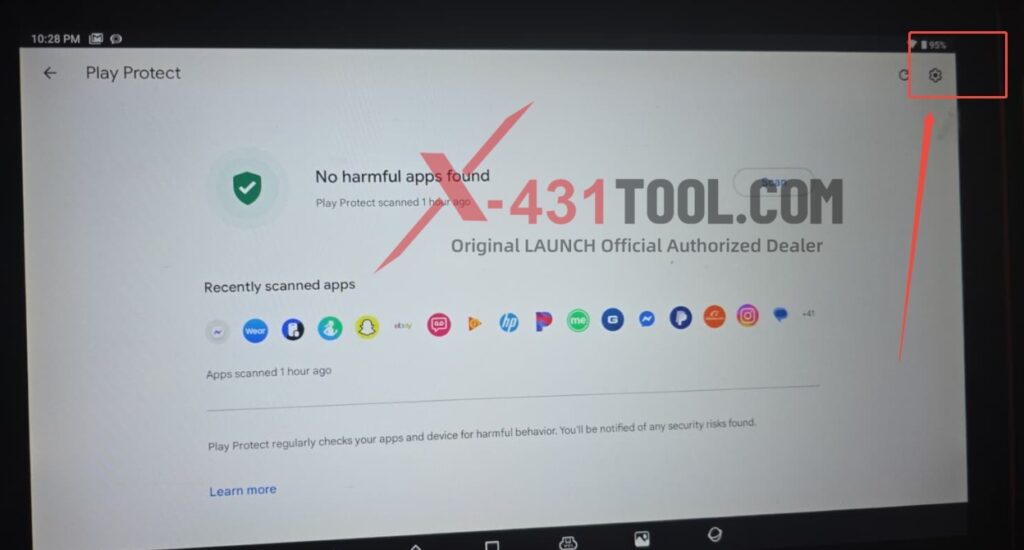
- On the Play Protect page, tap the gear-shaped Settings icon at the top right
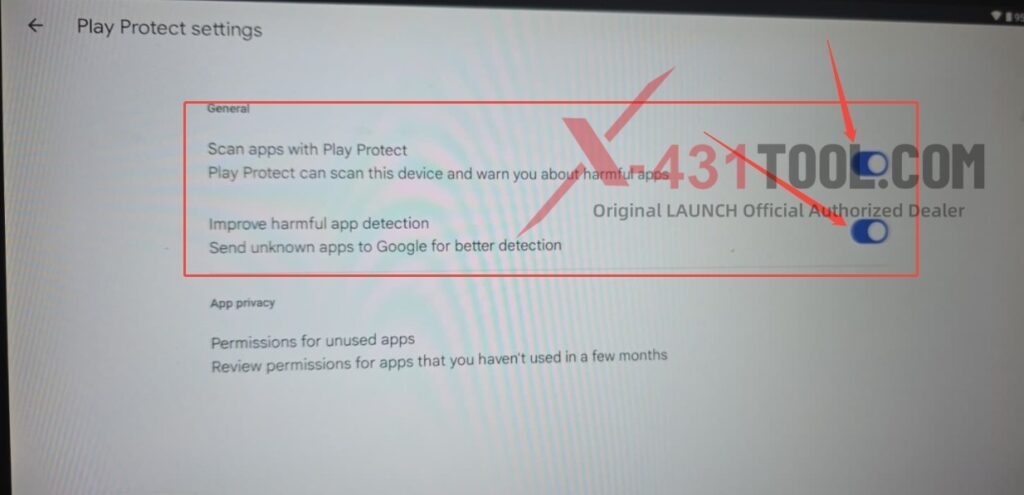
- Toggle off the option Scan apps with Play Protect
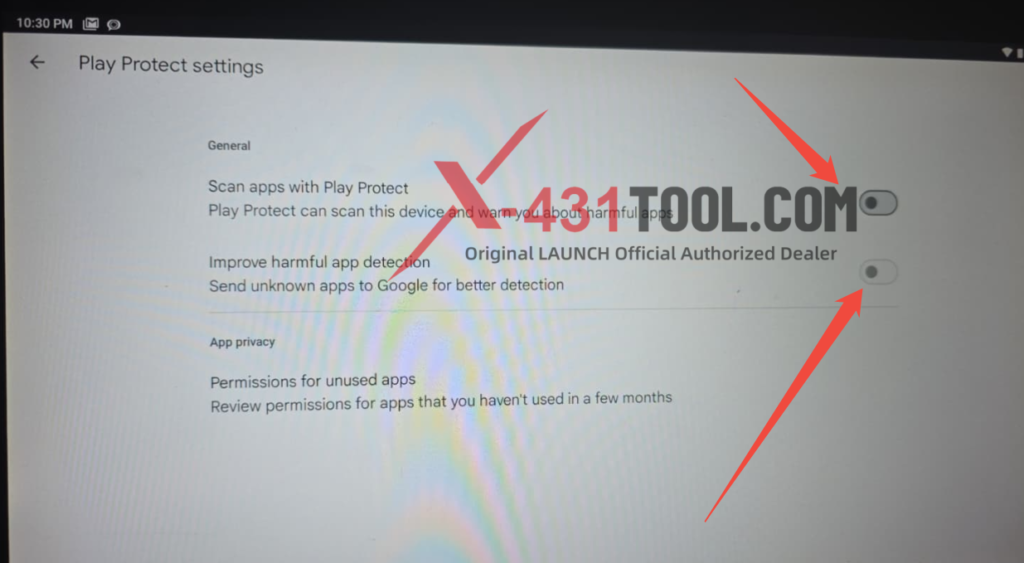
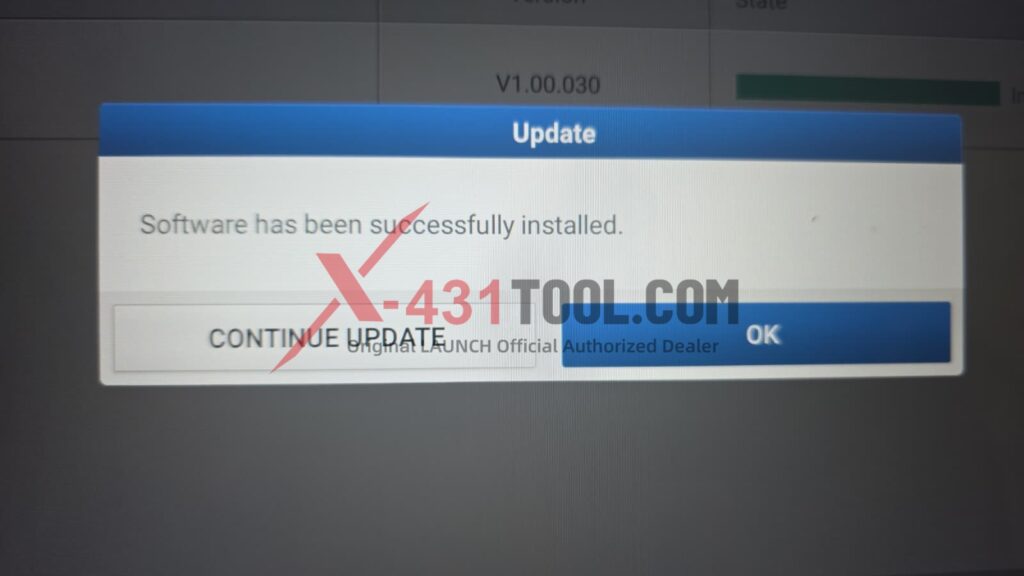
For customers who are unable to upgrade the DPULink Manager Service, once you complete this setup, you can download the update again from the Software Update Center to complete the upgrade.
Contact:
Email: sales@x431tool.com
WhatsApp: +86 18186426016
Leave a Reply