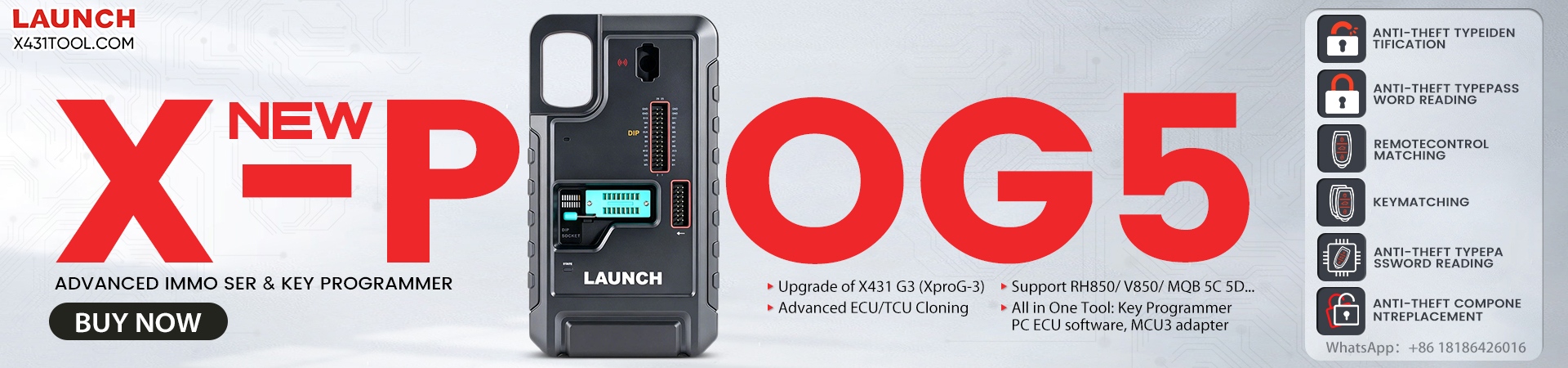
Launch X431 X-PROG5 3-in-1 IMMO programmer can work with a laptop/ X431 diagnostic tools to enable reading, writing, and cloning of engine and transmission ECUs. It can also be used as a key programmer to read key data, generate new keys, and unlock existing keys.
1. As ECU Cloning PC Tool:
Connect directly to the computer. No need a PC Adapter!

2. Work with Launch X431 tablet
Compatible device:
- LAUNCH X431 IMMO ELITE key programmer
- LAUNCH X431 IMMO PLUS key programmer
- CRP Series
Launch CRP919E BT/ CRP919X BTX431 PRO cable connection scanner
Launch X431 Pro Elite (Same as X431 PROS Elite)
LAUNCH X431 Pro StarX431 Pro 8-inch Series Bluetooth scanner
LAUNCH X431 PRO TT/ PRO Dyno
LAUNCH X431 PROS V5.0
Launch X431 V V5.0X431 Pro 10-inch Series Bluetooth scanner
Launch X431 V+ V5.0
Launch Pro3S+ V5.0
Launch X431 PRO3 APEX
Launch X431 Pro3 ACE
LAUNCH X431 PRO3 V+ 5.0 Elite (Same as PRO3S+ Elite)
Launch X431 Pro5 SmartlinkX431 PAD Series
Launch X431 PAD V Elite
Launch X431 PAD VII Elite

In this guide, we’ll show you exactly how to add a new smart key to a Peugeot 3008 (2016+) using LAUNCH X431 IMMO PLUS paired with Launch X431 X-PROG5 .
Step 1: Generate the Remote Key
Connect Launch X-PROG 5 to your X431 IMMO tablet and the Peugeot vehicle using the correct cables.
On your tablet, navigate to: Vehicle Remote -> Peugeot -> All remote -> 3008 (2016+) Remote FSK ID4A.

Place your new blank key into the detection slot/area of X431 X-PROG 5.

Click “Generate” and wait a moment until the remote data is successfully burned into the chip.

Step 2: Read the BSI Anti-Theft Password (PIN Code)
Go back to the main menu and navigate to: PEUGEOT -> PEUGEOT V10.22 -> Anti-theft Password Reading -> All Lost Anti-theft Password Reading -> BSI -> Automatic Scan.
CRITICAL NOTES BEFORE PROCEEDING:
- Battery Voltage: Low voltage in the BSI unit can cause a failure. Ensure the vehicle’s battery is fully charged or connected to a stable power supply.
- Network Connection: Stable Wi-Fi/Internet is mandatory for this online function.
- Vehicle Behavior: It is completely normal for the windshield wipers to start and headlights to turn ON during this process. If you want to prevent this, simply pull out the corresponding fuses before starting.
Click “OK” to move forward.
Turn on the vehicle’s hazard lights (double-flash switch) and click “OK”.
The system will read the security pin. Write down the 4-digit anti-theft password immediately.

Step 3: Match the Anti-Theft Smart Key
Return to the PEUGEOT menu and select “Anti-Theft Key Matching”.
Confirm the vehicle’s VIN and model information.

Select “Automatic Scan” and double-check the system details.

Select “Smart Key System” and turn on the hazard lights (double-flash switch), then click “OK”.
ATTENTION:
This function will clear all existing keys from the system. You must have all keys ready (including the original car key) because any key not present during this process will no longer start the car.
Click “OK” to clear the old key memory.

Enter the 4-digit confidential PIN code you read in Step 2.

The software will verify the password.

Input the total number of keys you want to learn (e.g., enter 2 if you are matching the original plus one new key).

Insert the smart key into the vehicle’s smart key card slot.
- Pro Tip: Always program the original car key first before matching the new key. Otherwise, the new key might lose its remote control and intelligent smart functions. Click “OK” when done. The first key learning is complete!

- LAUNCH X431 IMMO ELITE key programmer
- LAUNCH X431 IMMO PLUS key programmer
will show the current learned key count (e.g., Key number is 2 now).

Remove the first key and insert the second smart card into the slot.
Final Synchronize Step: For each smart key, perform the following manual synchronization:
-
- Insert the smart card into the slot, turn the ignition ON and wait for 3 seconds.
- Turn the ignition OFF, remove the card, and immediately press and hold the LOCK button for 5 seconds.

You may want to know:
Any problem, please feel free to contact us!
Contact:
Email: sales@x431tool.com
WhatsApp: +86 18186426016
Leave a Reply