LAUNCH X431 SmartLink VCI can be used as a J2534 PassThru device in conjunction with the original OEM diagnostic software, this article will explain how to do this.
Products that come with Smartlink:
LAUNCH X431 PRO3 V+ 5.0 Elite (Same as PRO3S+ Elite)
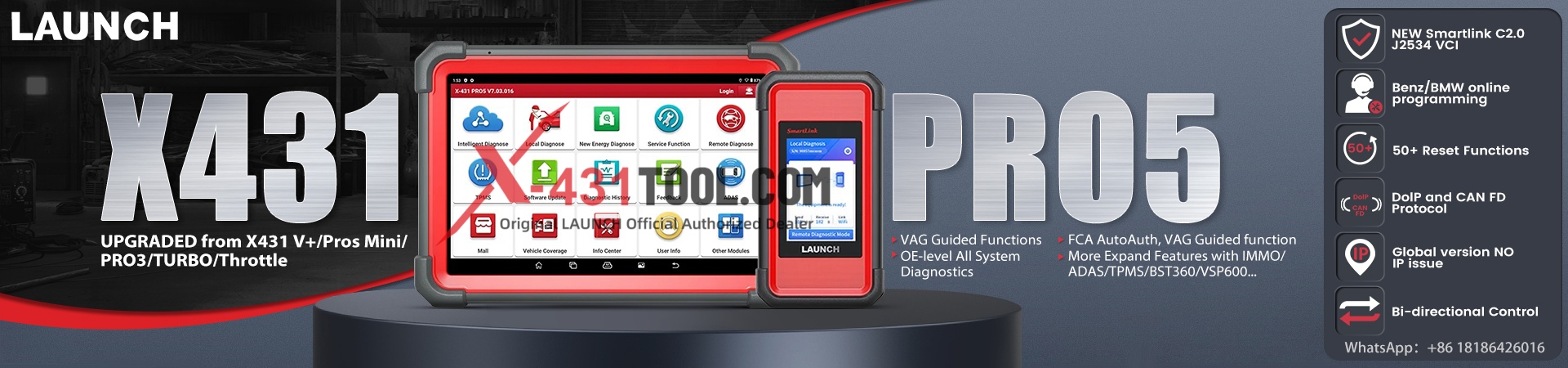
Launch X431 Pro5 Smartlink
Launch X431 PAD V Elite
Launch X431 PAD VII Elite
First, let’s briefly introduce how J2534 reprogramming works
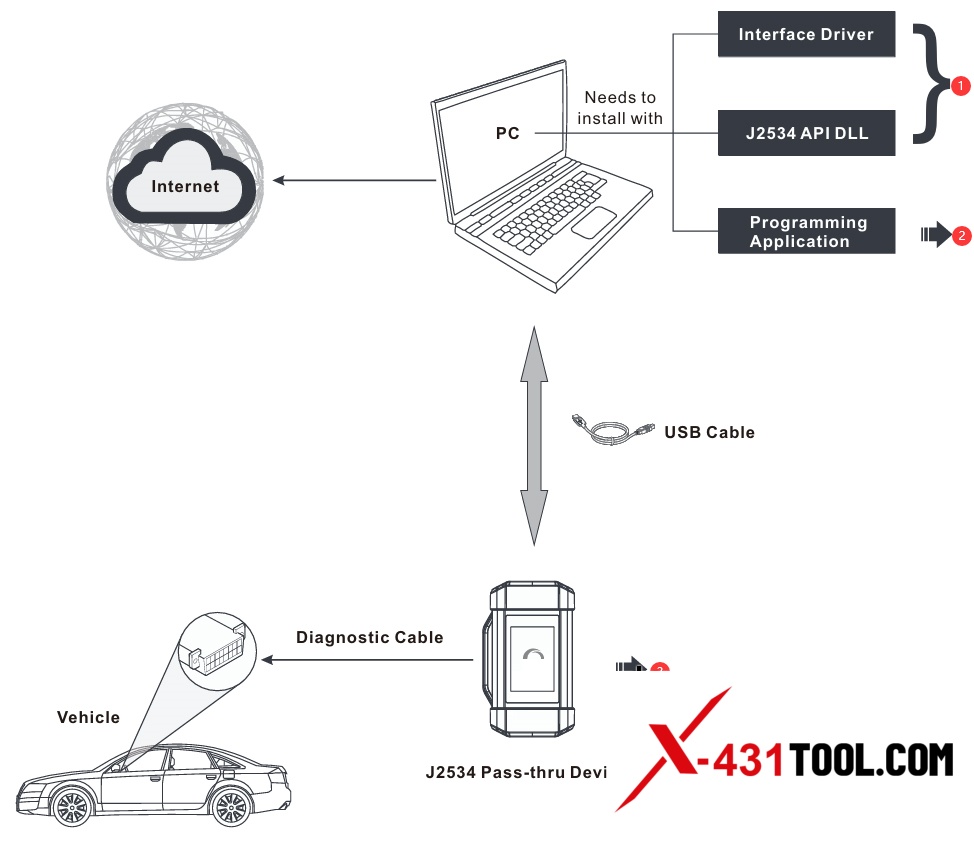
(1) The interface driver and J2534 API DLL are integrated into the Launch J2534 Tool setup package, which can be downloaded from the LAUNCH’s official website(www.cnlaunch.com).
Refer to Section 1 for installation steps of Launch J2534 Tool.
(2) Purchased from vehicle manufacturer. For the manufacturer’s service website, refer to Section 2.
(3) Supports the following diagnostics communication protocols:
CAN/ CAN_PS/ FT_CAN_PS/ SW_CAN_PS/ FT_ISO15765_PS/ ISO15765/ ISO15765_PS/ SW_ISO15765_PS/ ISO14230/ ISO14230_PS/ ISO9141/ ISO9141_PS/ J1850PWM/ J1850PWM_PS/ J1850VPW/ J1850VPW_PS/ FD_CAN_PS/ FD_ISO15765_PS.
Section 1. Install Launch J2534 Tool
1. Visit to download the Launch J2534 Tool setup [en.cnlaunch.com] installation package.
*To be more precise, find the download page of Launch X431 PAD V Elite / Launch X431 PAD VII Elite.
(en.cnlaunch.com/products-detail/i-25.html), and download J2534 Tool.
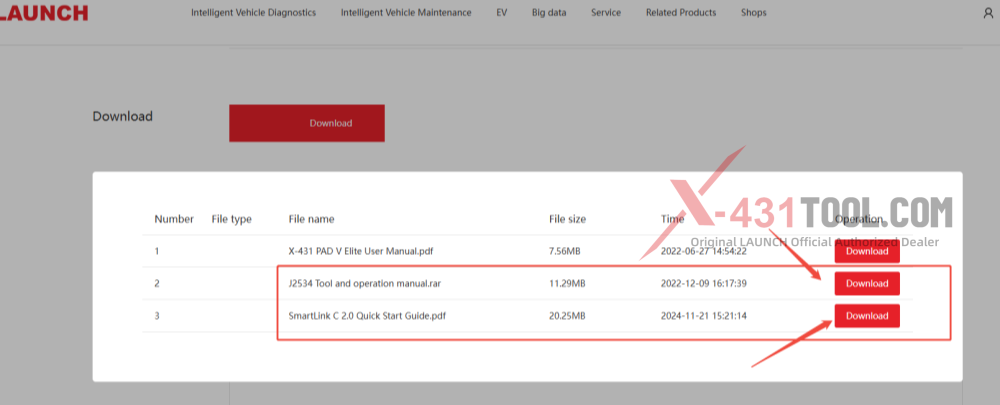
2. After downloading, decompress it, in which includes the driver installation package and associated instruction manual.
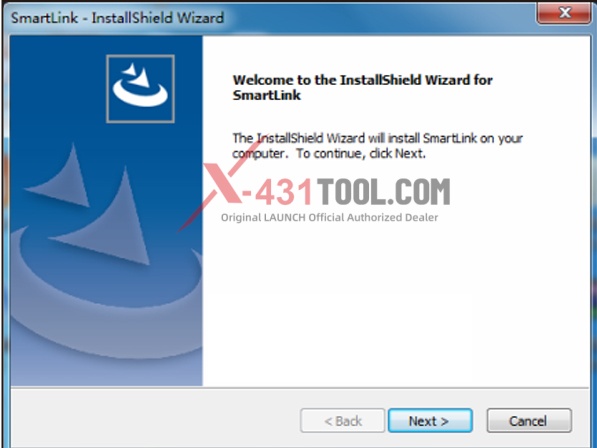
3. Double-click the Launch J2534 Tool.exe to run it, the following screen will appear. Click “Next” to start installing.
4. Follow the onscreen prompts to proceed until the following screen appears.
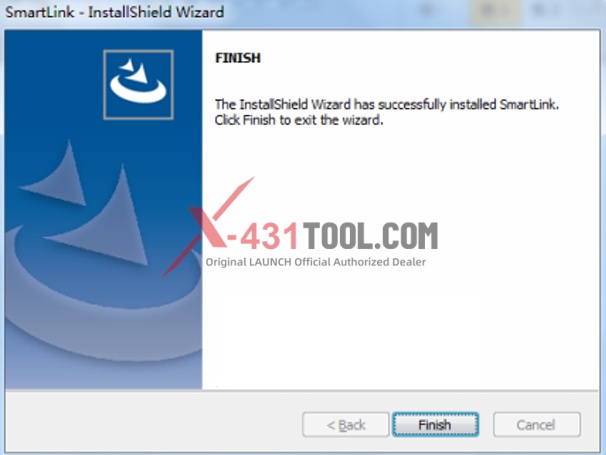
5. Click “Finish” to finish the installation. A LAUNCH J2534 Tool icon will appear on the PC desktop. Now the J2534 reprogramming is ready to start.
Section 2. Vehicle Coverage
The supported vehicle models are decided by 1) whether the vehicle manufacturer’s diagnostic software supports the J2534 protocol; and 2) which protocols are covered by the current LAUNCH J2534 tool. The following tablet is only for reference use and subject to change without prior notice. For more details, refer to the automaker’s service website (See Appendix).
| Diagnostic software | Vehicle Covered |
|---|---|
| TIS(TOYOTA Techstream) | TOYOTA |
| HDS(HONDA Diagnostic System) | HONDA |
| Volvo VIDA | VOLVO |
| ODIS | VW |
| ISTA | BMW |
| GDS2 | GM |
| IDS/FDRS | Ford |
| WiTech 2.0 | Chrysler |
| SUBARU SSM4 | SUBARU |
| Xentry | Benz |
| SDD | Land Rover/ JAGUAR |
Featured function: Determined by the vehicle diagnostic software
Section 3. Start Reprogramming
1. Follow the illustration below to make the connection and settings.
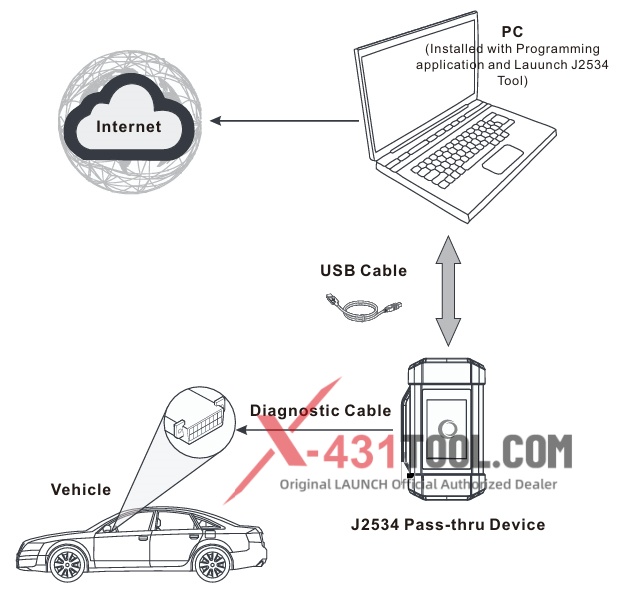
2. Run the vehicle manufacturer’s programming application on the PC.
3. If the software prompts you to select the target VCI (Vehicle Communication Interface) device, please choose “LAUNCH J2534” (If no such prompt pops up, please follow the instructions on the screen to proceed directly) and then follow the onscreen instructions to proceed.
*Note: When used with the vehicle manufacturer’s programming application, the SmartLink and SmartBox device not only can work as a J2534 Pass-thru device, it also can work as a VCI device to read DTCs, clear DTCs and read live data etc.
Section 4. Upgrade
1. Connect the J2534 Pass-thru device to the PC via a USB cable.
2. Double-click the Launch J2534 Tool to run it. The following screen will appear:
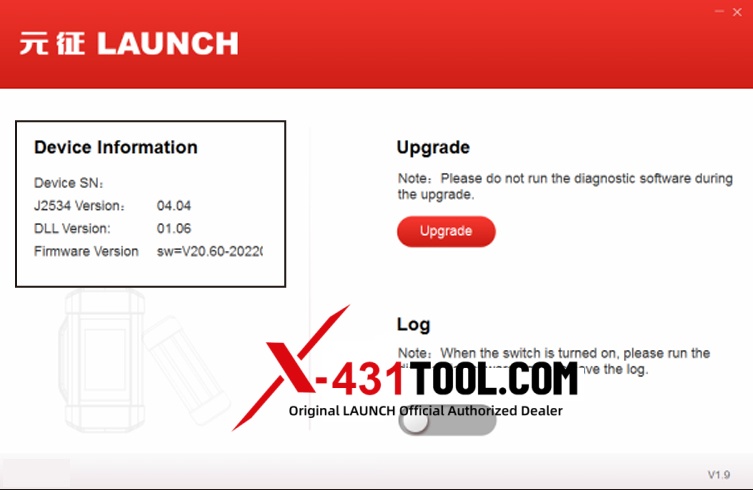
Note: This column will display the information of the last connected or updated device by default.
3. Tap “Upgrade”, the system will start detecting all available newer version. If a newer version is found, the system will automatically upgrade to the latest version.
*Note: Please do not run the diagnostic software of the vehicle manufacturer during the upgrade.
4. If you come across some problems, please slide the Log switch to ON to record the log file. In this case, you need to run the diagnostic software again
Appendix – List of Automaker’s Service Website
TOYOTA — techinfo.toyota.com
HONDA — www.serviceexpress.honda.com
VOLVO — www.volvotechinfo.com
VW — www.erwin.volkswagen.de/erWinVW
BMW — www.bmwtechinfo.com
Ford — www.motorcraft.com
GM — www.gmtechinfo.com
Chrysler — www.techauthority.com
Mercedes — www.startekinfo.com
Land Rover/JAGUAR — www.landrovertechinfo.com
Should you have any questions, please don’t hesitate to reach out.
Contact:
Email: sales@x431tool.com
WhatsApp: +86 18186426016
Leave a Reply