Launch Creader CRP919X, CRP919E , CRP919X BT and CRP919E BT (Bluetooth version) comes with 2 years free software update. How to update CRP919 series after software update expires?
If the subscription expires, the online SCN coding function can not be executed. The update is done via a subscription renew card. $165 per year for the CRP919 series.
How to Update Launch CRP919X, CRP919E via renew card?
The same procedure goes to CRP909E, CRP479, CRP429, CRP429C etc Creader scanners (with corresponding renew card).
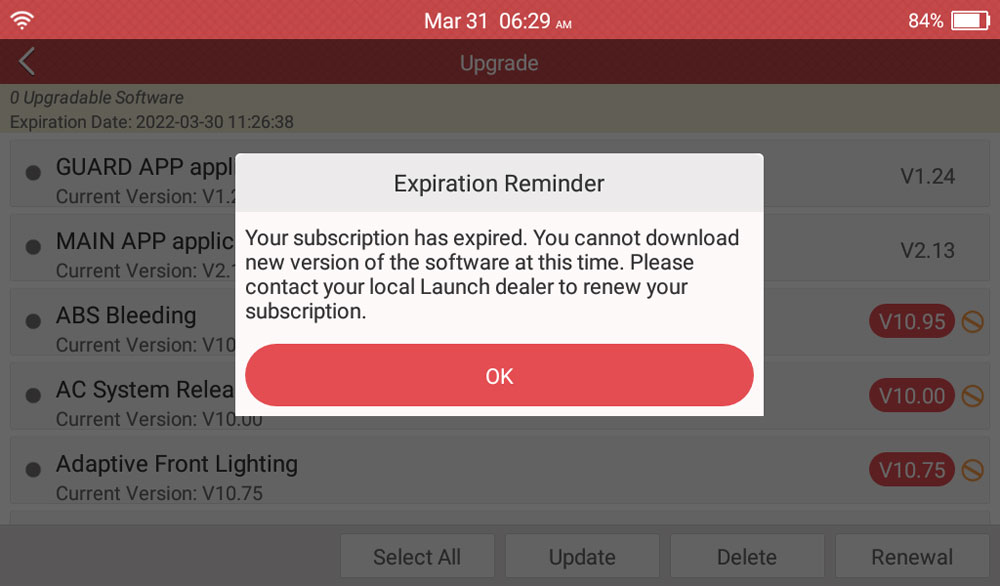
If the scanner warns subscription has expired, press OK to continue.
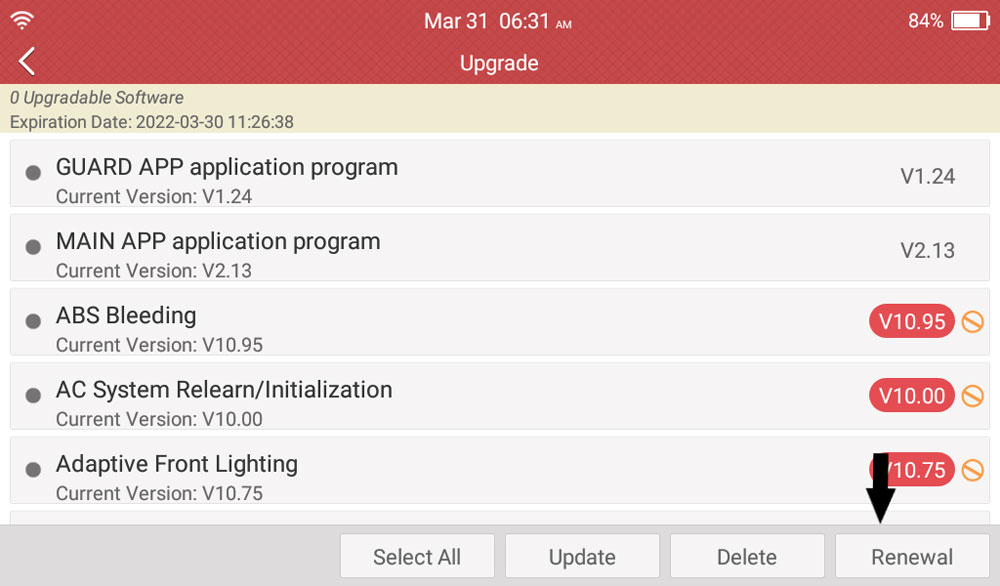
Hit ‘Renewal’
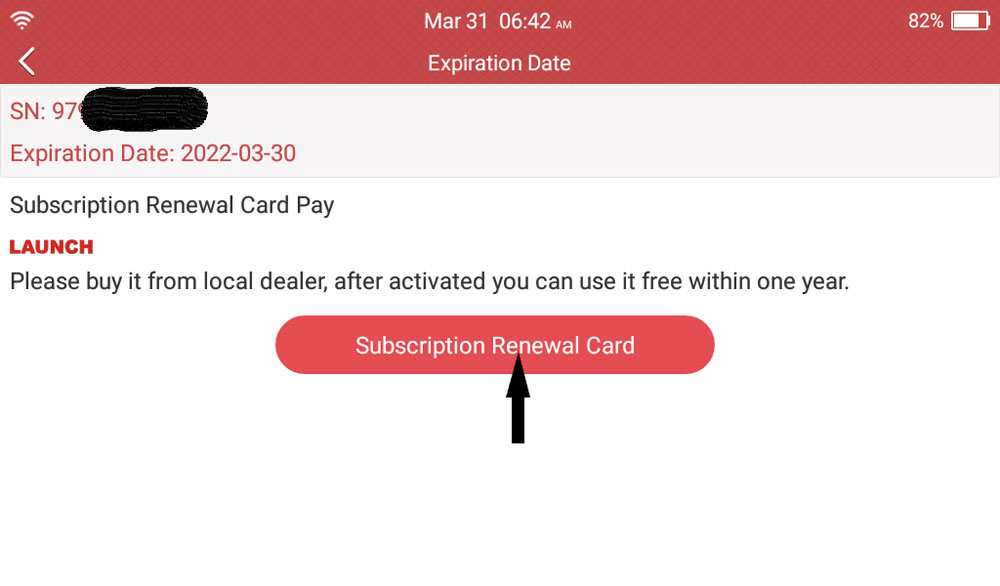
Hit ‘Subscription Renewal Card’
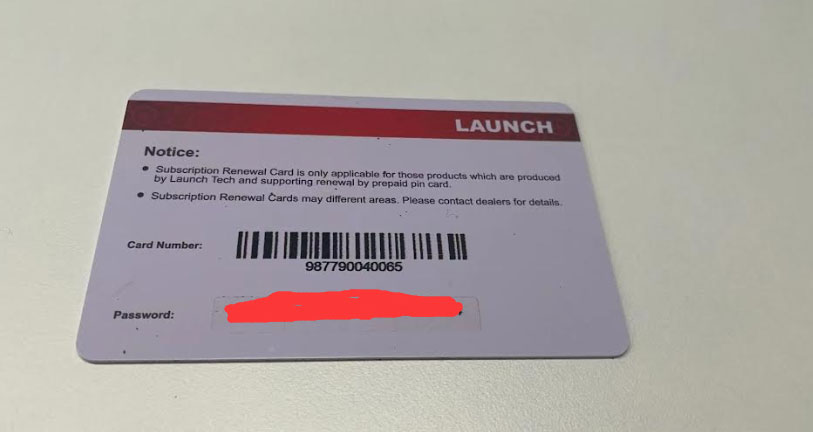
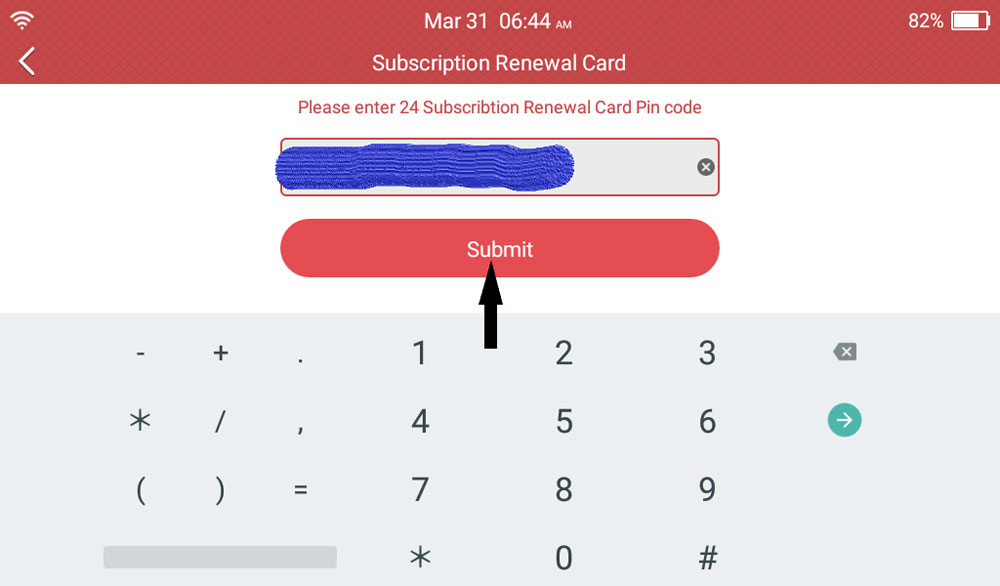
Input the 24 subscription renewal card pin code and submit
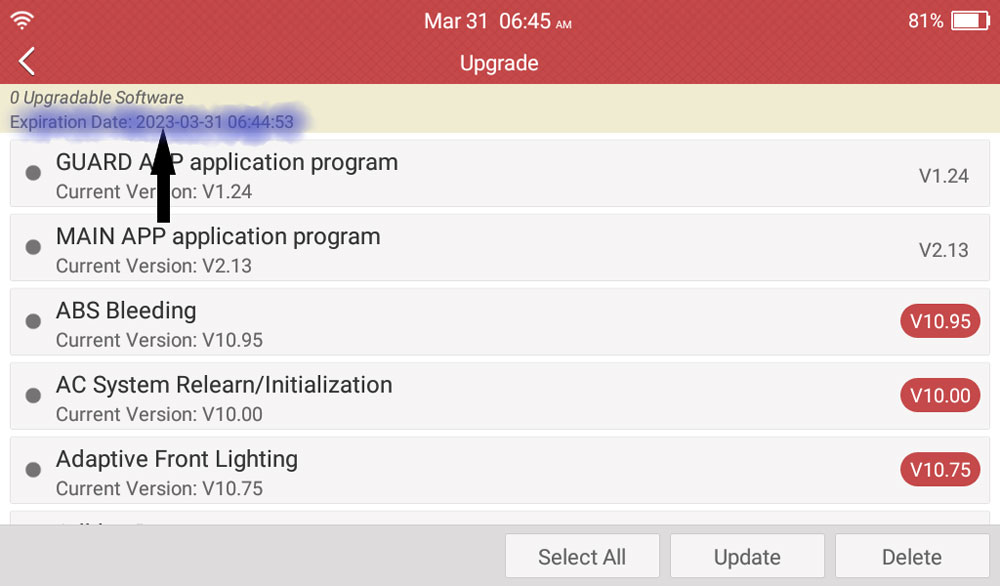
And you’ll see the update will expire 1 year later, update success!
Leave a Reply