This article describes how to use the LAUNCH X431 truck diagnostic tool to write injector codes for a Dongfeng (DF Truck) Chenglong H5.
Function Description:
This operation is required after replacing the fuel injector, replacing the ECU, or rewriting ECU data.
Supported tools:
X431 PAD V/ PAD V Elite, PAD VII/ PAD VII Elite, PRO5 Smartlink, PRO3 V+ Elite/ PRO3S+ Elite with HD license
LAUNCH X431 truck diagnostic tool
and etc…
Operation Procedure:
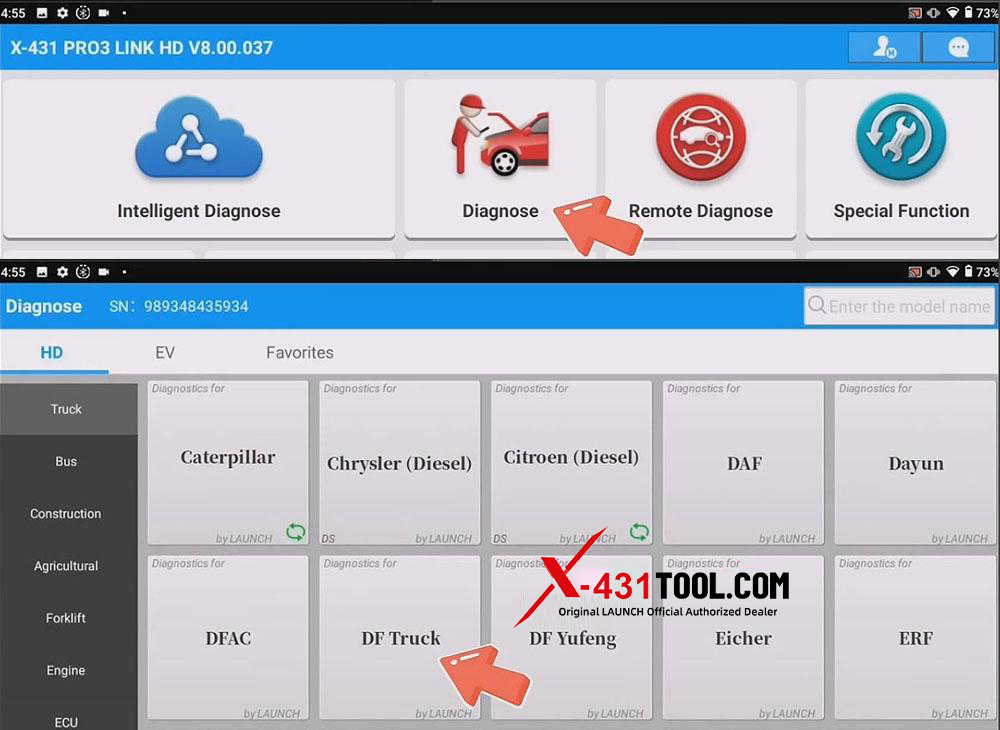
1) Ensure the vehicle’s ignition switch is on (ON position) but do not start the engine. Connect the vehicle to the X431 diagnostic tool and select [Diagnose]-[DF Truck]
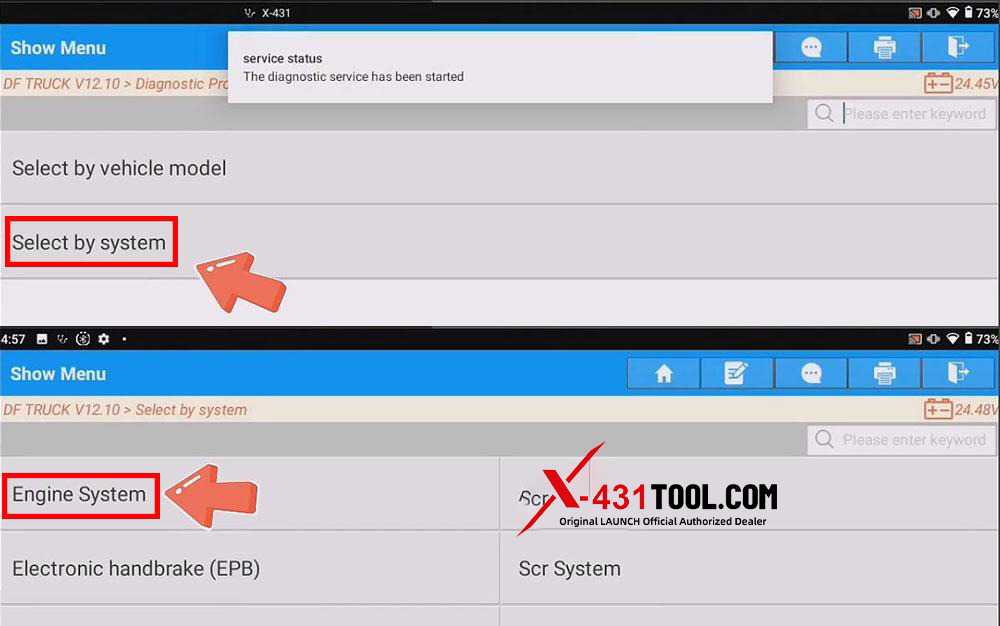
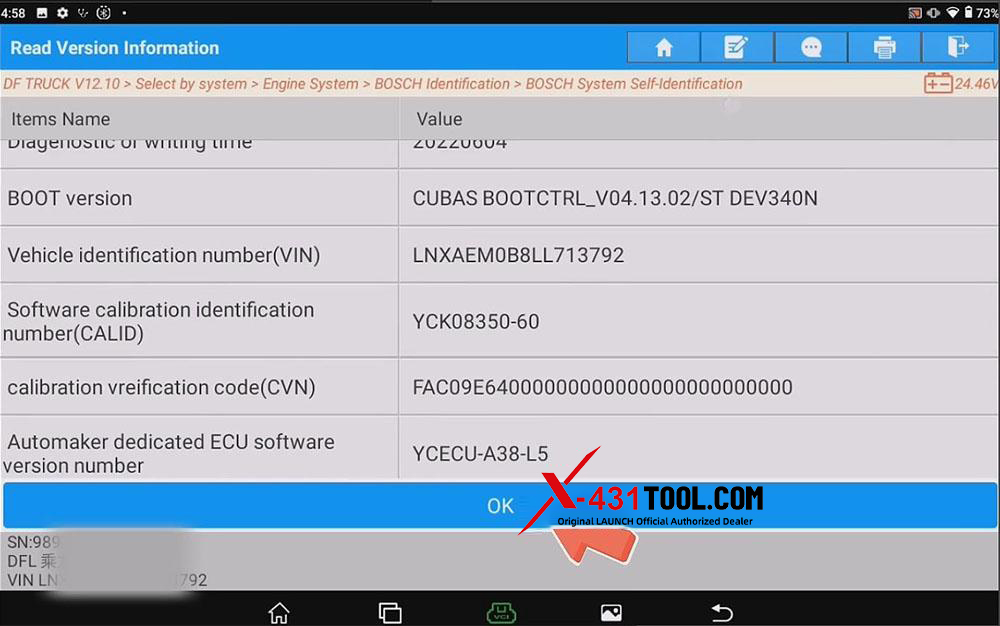
2) Select [Select by system] – [Engine System] – , select the vehicle’s engine model, and confirm the vehicle information. For example, in this test, we will navigate to:
[BOSCH Identification] – [BOSCH System Self-Identification] – [Yuchai P1960 MD1CE108]
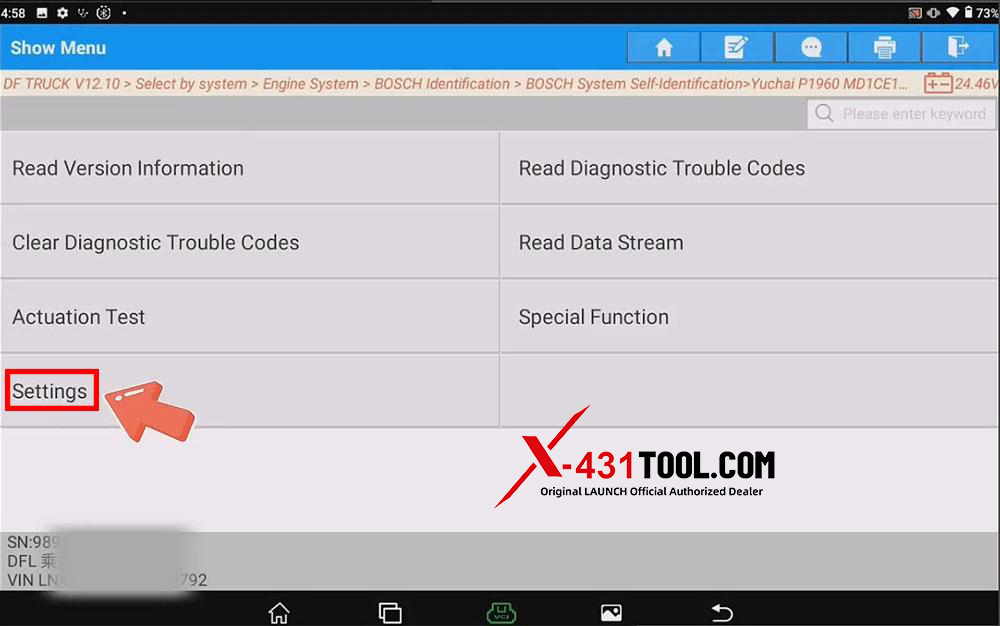
3) Select [Settings] –[Read/Write Injector Codes]
4) Check the fuel injector code interface. (If the ECU or fuel injector has just been replaced, the fuel injector codes should be empty or show an error).
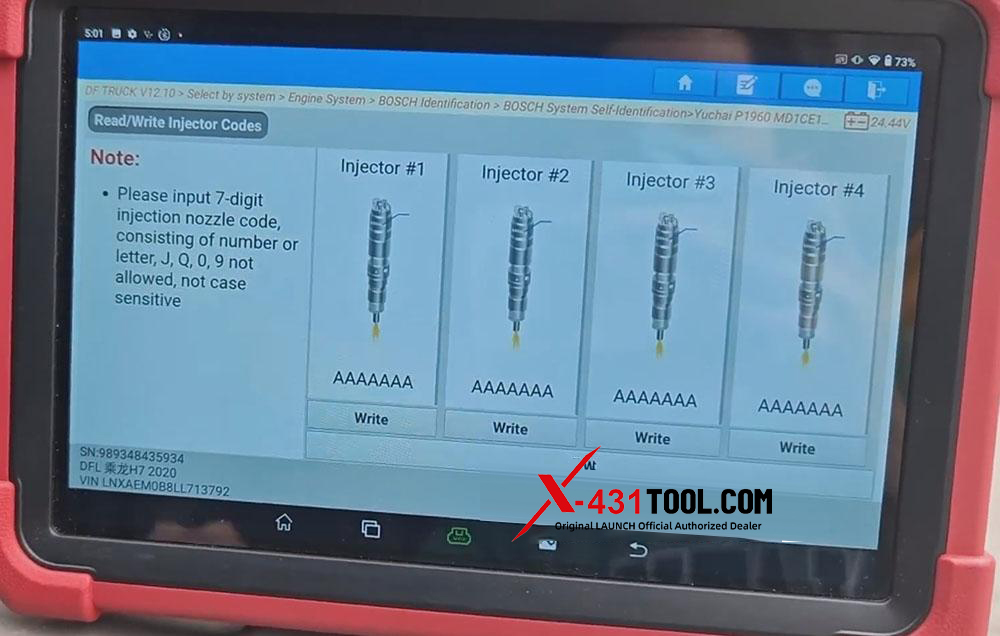
5) Check the IQA or QR code engraved on the top of each injector and write it in the physical order of the cylinders (note the difference between the letter “I” and the number “1”).
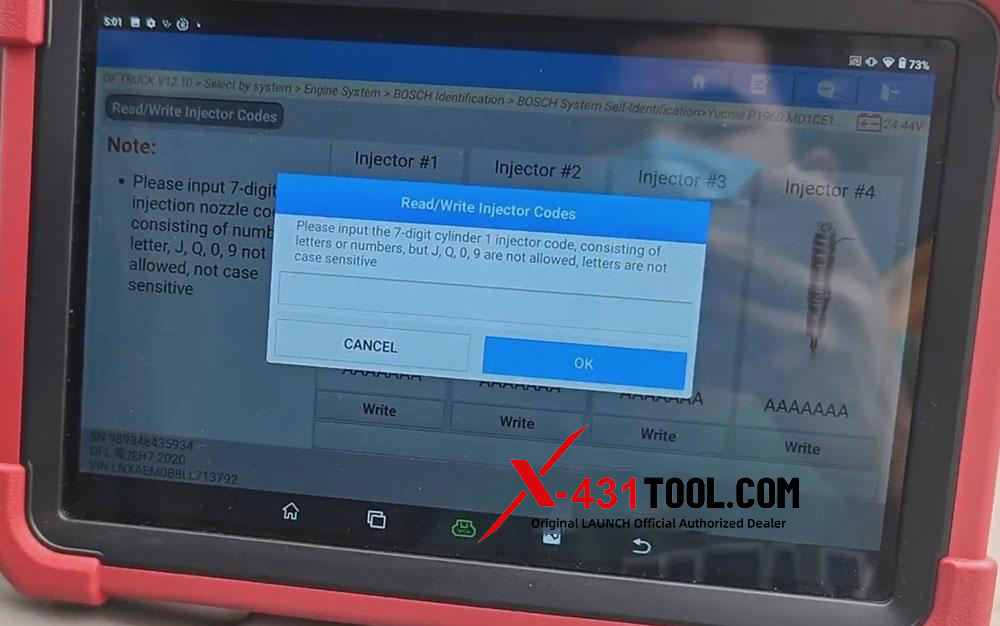
NOTE: : Each injector code must be unique and strictly correspond to the actual product. Randomly filling in or copying is strictly prohibited. If the code is incorrect, the ECU will report a fault such as “P1601 QR code definition error”.
Email: sales@x431tool.com
WhatsApp: +86 18186426016
Leave a Reply